
1. Select the Reports tab

2. Select the Petty Cash Report from the Sales section on the right hand side.

Choose the dates and any other details required:
- Reason Filter - filter for a specific Petty Cash reason,
- Group By - Comment, Staff or No Grouping
3. Once you have selected the options you require select the Execute button
4. Here is an example of a Petty Cash Report
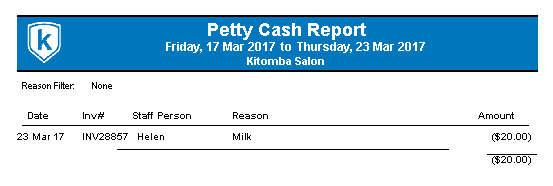
5. Once you run you petty cash like this your end of day your reconciliation will include this deduction

Comments
0 comments
Please sign in to leave a comment.