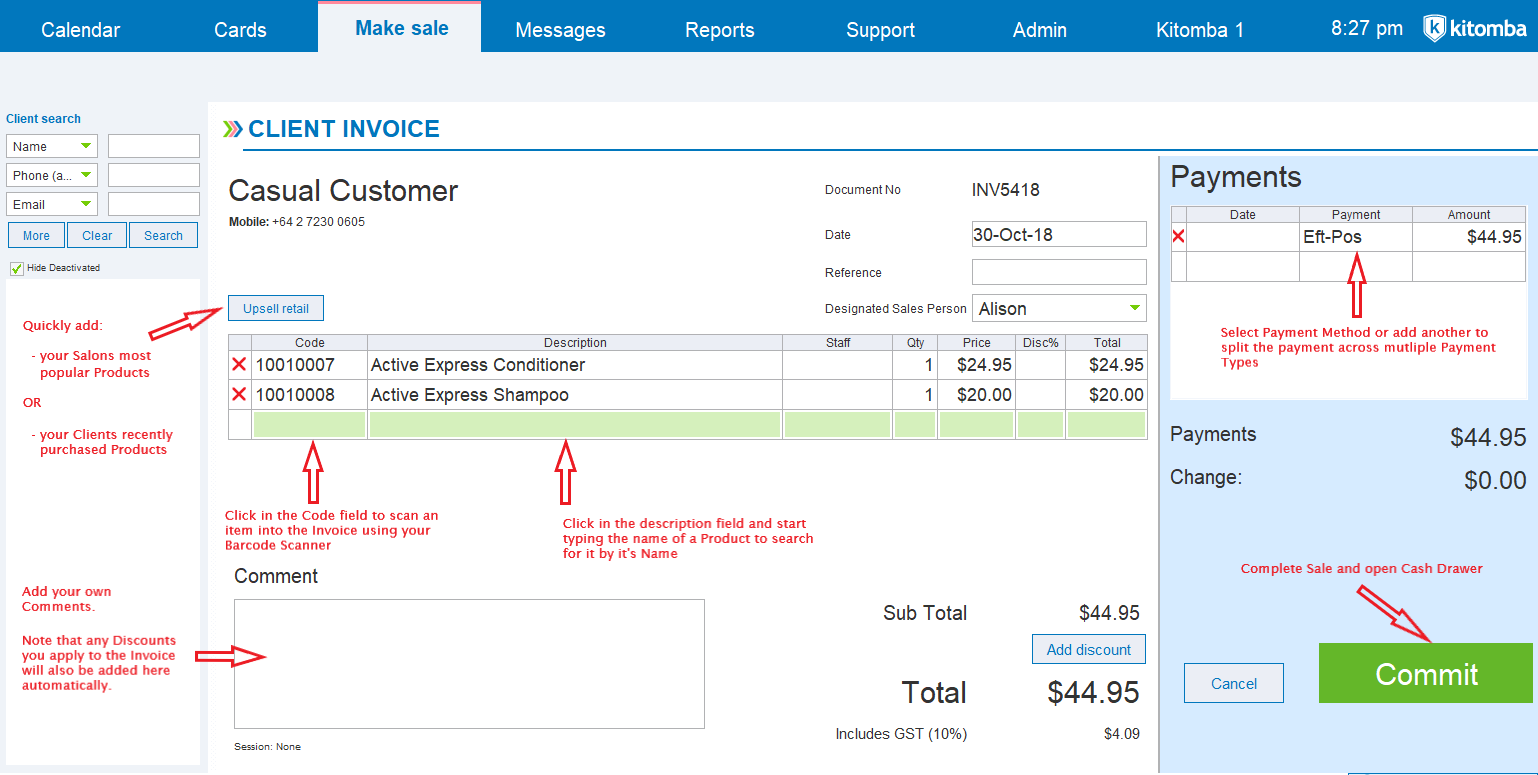
The below diagram shows you what each part of the invoice screen means.
Note that there are two options for how the invoices screen looks - Recommended and Traditional. To find out more about modes, click here.
Recommended Option
Traditional Option
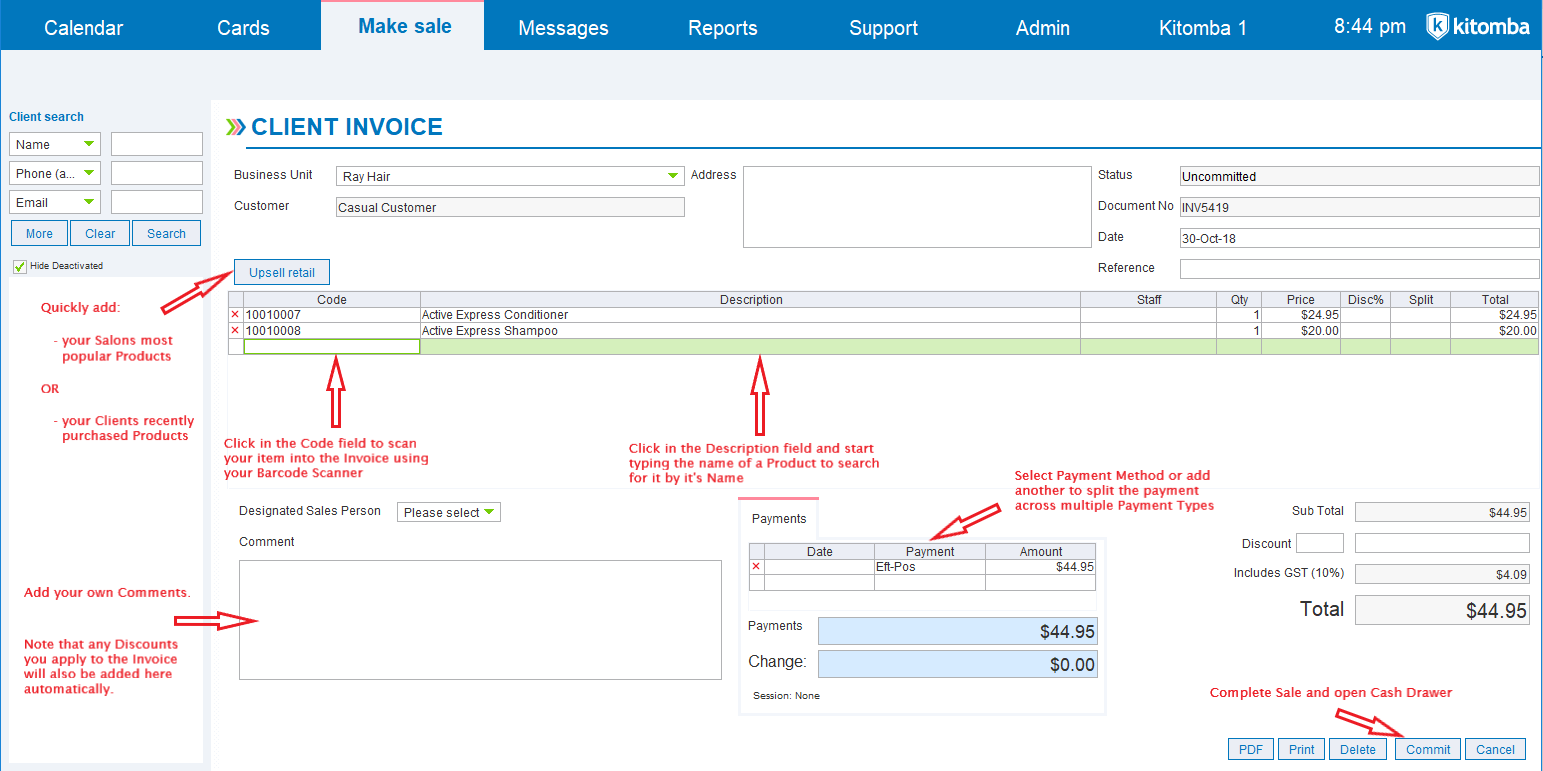

The below diagram shows you what each part of the invoice screen means.
Note that there are two options for how the invoices screen looks - Recommended and Traditional. To find out more about modes, click here.
Recommended Option
Traditional Option
Comments
0 comments
Please sign in to leave a comment.